As a mobile app developer, one of the most unpleasant tasks I have to do is App Store Optimization (ASO): It’s crucial for making your app discoverable, but it’s an entirely different profession to software engineering. It touches more onto marketing and promotion than to engineering.
The gist of it is that you need to think of relevant keywords, look at the competition, and optimize your app’s title, short description, long description and screenshots in such a way, that the text hits keywords with high traffic and low competition from other apps; and the screenshots need to tell a story. All this, while not making the long description too repetitive or too spammy. Oh, and you can’t do this properly without paying for tools that scrape the Play store and the App store for keyword data.
ASOZen
I have been using the free tier of ASOZen and I had a chance to test the Pro features with a short promotional giveaway that they did.
It’s very good. Not only does it help you analyze the text in the store listings, but it also lets you use AI to analyze the screenshots. Screenshots need to start with a clear image that makes the app’s proposition immediately obvious, and the remaining screenshots after the first one need to tell a story, not just showcase features. ASOZen’s AI can help you out with this.
But I don’t find this ASOZen feature particularly helpful. It’s much easier to just go to your favorite chatbot, and let it help you write the story for your screenshots. Then you can generate the screenshots, embed them in device frames, place them over various backgrounds, add overlay text that matches the required messaging, and finally upload them. I guess this process can be optimized with an agentic workflow, but I haven’t yet found the need to automate the task.
AppLyra
AppLyra is currently my favorite ASO tool. I’m not even paid to promote it, I just mention it because I’m so happy with it. If they had a referral program, I would be dropping the link somewhere in this post. But they don’t. EDIT: They now have a referral link so I’m using it. But honestly I do recommend AppLyra.
The web interface is somewhat slow, and doesn’t have as many features as ASOZen. But I like it for two reasons:
- You can use it as an MCP tool.
- Pricing is very affordable at $9.99 per month. Since I am managing multiple apps, it’s a no-brainer.
My agentic workflow for easy ASO
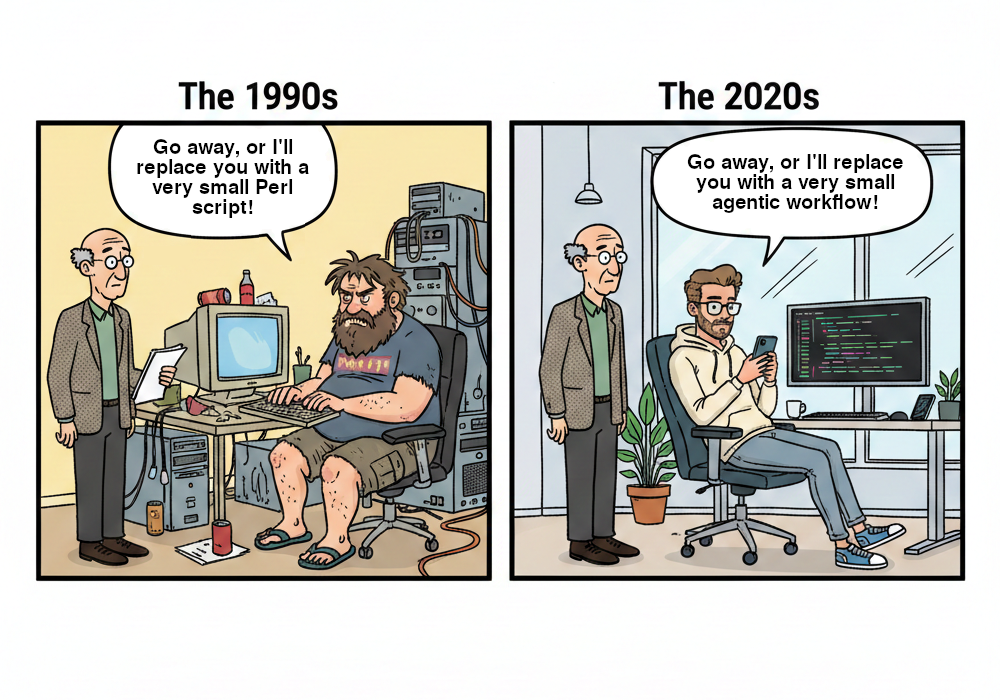
I remember in the ’90s, sysadmins would say to various types of unpleasant people “Go away, or I’ll replace you with a very small Perl script”. Today, we could say “Go away, or I’ll replace you with a very small agentic workflow.”
As a Google fan boy, I am not a part of the Claude army. Instead I use Gemini CLI and Antigravity CLI. I am happy with it, despite what the Reddit bots say every day. Honestly, with good prompting even Gemini flash always delivers.
Therefore, I now do all my ASO with Gemini CLI. Once you pay for AppLyra subscription, you get an API key, which you can use with their MCP tool.
- Enter the JSON fragment that they give you into
~/.gemini/settings.jsonfile or the~/.gemini/antigravity-cli/mcp_config.jsonfile. (This assumes you want to install the tool globally and not just for one project.) - Change directory into your project.
- Enter the current store listing title, short description and long description into a file and commit it.
- Make a note of the date and the current conversion % so that you can later see if there was an improvement.
- Fire up your agent.
- Type
/mcpand enable the AppLyra tool. - Enter your ASO prompt and press enter, accepting all the tool usage requests.
- When the agent finishes it will explain what it found and will write the new app listing into the file.
- Commit the changes to the listing, and enter the changes into your store.
Edit: Lately I have been moving towards using OpenCode. If you are using OpenCode, then your
~/.config/opencode/opencode.jsonfile should look as follows:{
"$schema": "https://opencode.ai/config.json",
"mcp": {
"applyra": {
"type": "local",
"command": [
"npx",
"-y",
"@applyra/mcp-server"
],
"environment": {
"APPLYRA_API_KEY": "(your API key goes here)"
},
"enabled": true
}
}
}
The ASO prompt I use
I found the following prompt template works good for my apps. You can adapt it to your needs, but this is the general idea. Here I show you the prompt I used for Drinking Water Map for English, and on the Play store’s US market.
This flutter project is an app that shows drinking water sources from OSM on a map.
The details of the current store listing are in @play/assets/store-listings/en.json
You can have a look at @lib/screens/map_screen.dart for a general idea of what the app does.
Please use the installed applyra MCP tool to perform ASO for the USA store: Determine suitable keywords and rewrite the short and full descriptions for English, to optimize discoverability.
In the title and short description, do not use en-dashes, but rather use em-dashes when needed.
In the full description, you are allowed to use the following basic HTML formatting: <b></b>, <u></u>, <i></i>
Use scripting to verify that:
- the app name is up to 30 characters long
- the short description is up to 80 characters long
Ensure that the keywords of interest are registered with AppLyra for continuous tracking.
That’s it. All it takes is a few minutes and a few tokens. Saves a ton of time compared to doing it manually, and I have seen improvements to conversion rates about 10% to 15% compared to my amateur store listings.
Edit: Actually the benefit to the apps I applied this to is more like 20% to 30% and rising. I am tracking conversion rates as they are being calculated in a 90-day moving average window. The conversion rates are still converging to their final values and will continue to do so for the next three months.
It’s important to let your agent use something like Python to check the string lengths, since LLMs are so notoriously bad at counting characters. There are some more guidelines, but usually you don’t need to stuff them into your context window.
Note how you can leverage the agent’s ability to understand code to your advantage. Give it context, let it understand your app and then it will be able to discover the best keywords. It will also explore the competition, because it will list the available tools and it will see that it can do that.
Further thoughts on this
Of course, you will then need to monitor your position on AppLyra against your competition, who will move against you. But if you are like me and you couldn’t afford to spend too much time for ASO, this is a good way to reap the low hanging fruit.
On the Play store you can view the fruit of your agent’s labor under: “Grow users” → “Store Performance” → “Store analysis”. But you won’t see results right away, since the graph’s data is delayed by 1 week (7 days).
I would like to look more into how to use agents to monitor ad campaigns. Perhaps the end game is to use a modern social media spammer like SocialClaw or sentrive.ai, but I’m just not mentally there yet.
For the moment I’m just glad I don’t have to ever again talk to “creative” or “marketing” people.